Lizzy on Mobile: Your Office Chats, Now in Your Pocket

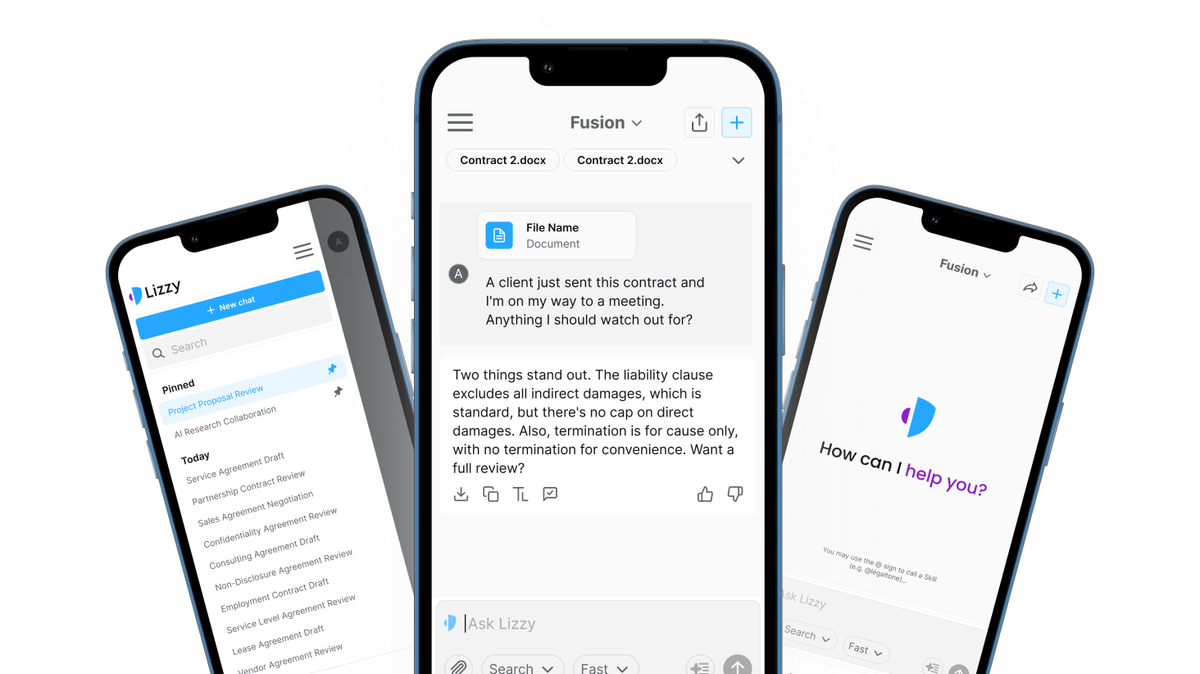
Lizzy now has a mobile app for iPhone, Android, and tablets. It installs straight from your firm's own tenant URL - so you can reach your office chats and ask quick, confidential legal questions on the go, with the security your firm already relies on.
Legal work doesn't stop when you leave your desk
A question lands on the way to court. A partner forwards a clause while you're between meetings. A client wants a quick read on a term before end of day, and you're nowhere near your laptop.
Most serious legal work still happens at the desk, and that won't change. But plenty of it doesn't wait for you to get back there. Lizzy on mobile is built for those in-between moments: the same legal AI you trust at work, ready on the device that's always with you.
What Lizzy on mobile is
Lizzy now has a mobile app for iPhone, Android, and tablets. It's the same Lizzy your firm uses every day, adapted for a phone, so your work and a quick answer are always within reach.
Under the hood, the app uses a PWA (progressive web app) model with a dedicated, tenant-specific installation - your firm installs its own app tied to its own Lizzy environment, rather than one shared app for every customer. That keeps the experience both more secure and tailored to your firm.
How to install it
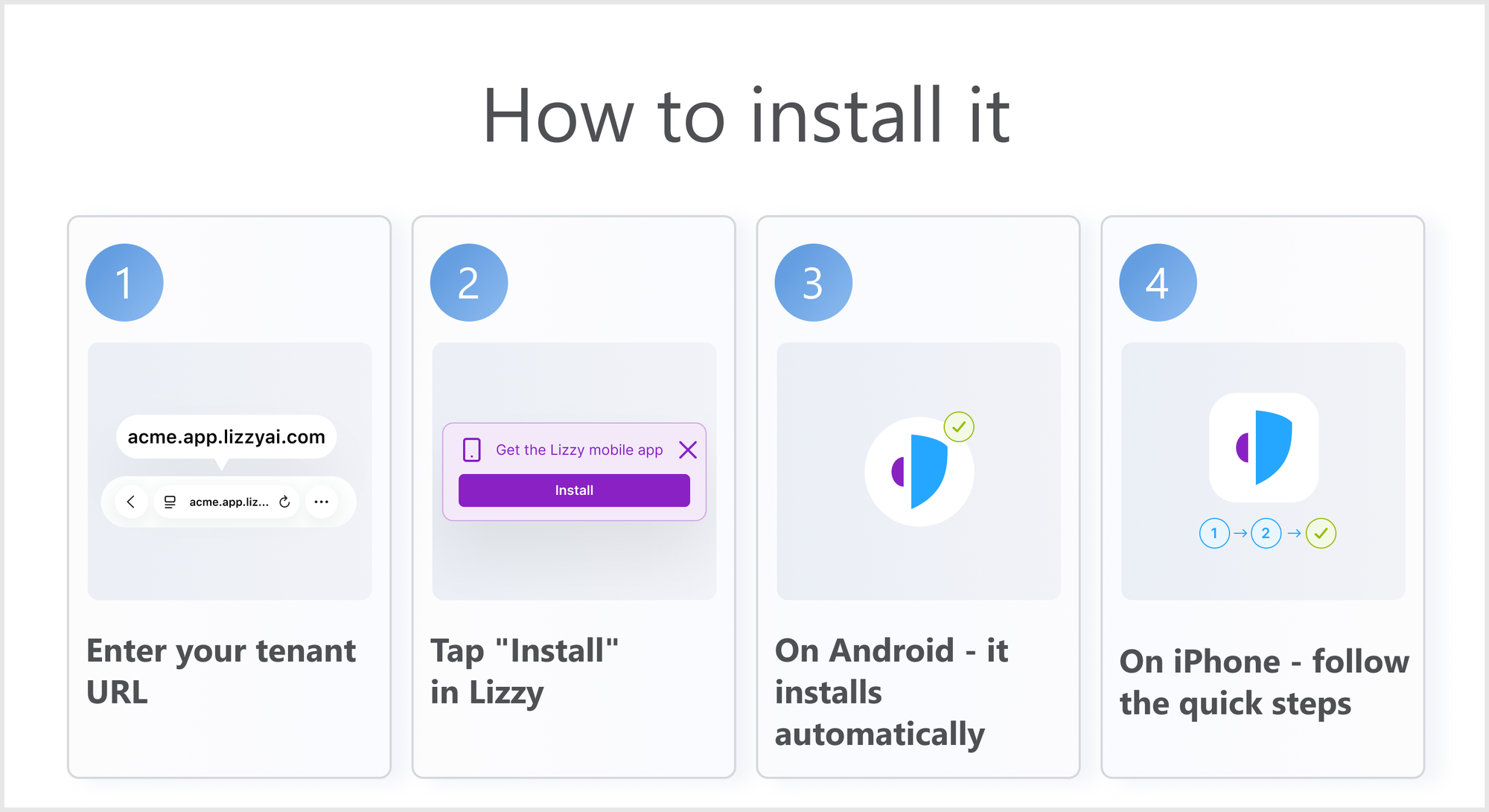
There's no app store to search and nothing to configure. The app installs straight from your firm's Lizzy address:
- Open your firm's tenant URL on your phone - for example, acme.app.lizzyai.com.
- Tap Install in Lizzy.
- On Android, Lizzy installs automatically - just confirm, and it lands on your home screen. On iPhone, follow the quick on-screen steps: tap Share, then Add to Home Screen.
- Lizzy is added to your home screen, ready for one-tap access.
Your office chats, on the go
The point of mobile is continuity. The chats you started at your desk are the same chats you reach on your phone, so you're never starting from scratch. Re-read Lizzy's analysis before a call, check a previous conversation on the way to a meeting, or pick up a thread while it's fresh - then finish the work later on your laptop, in the same place.
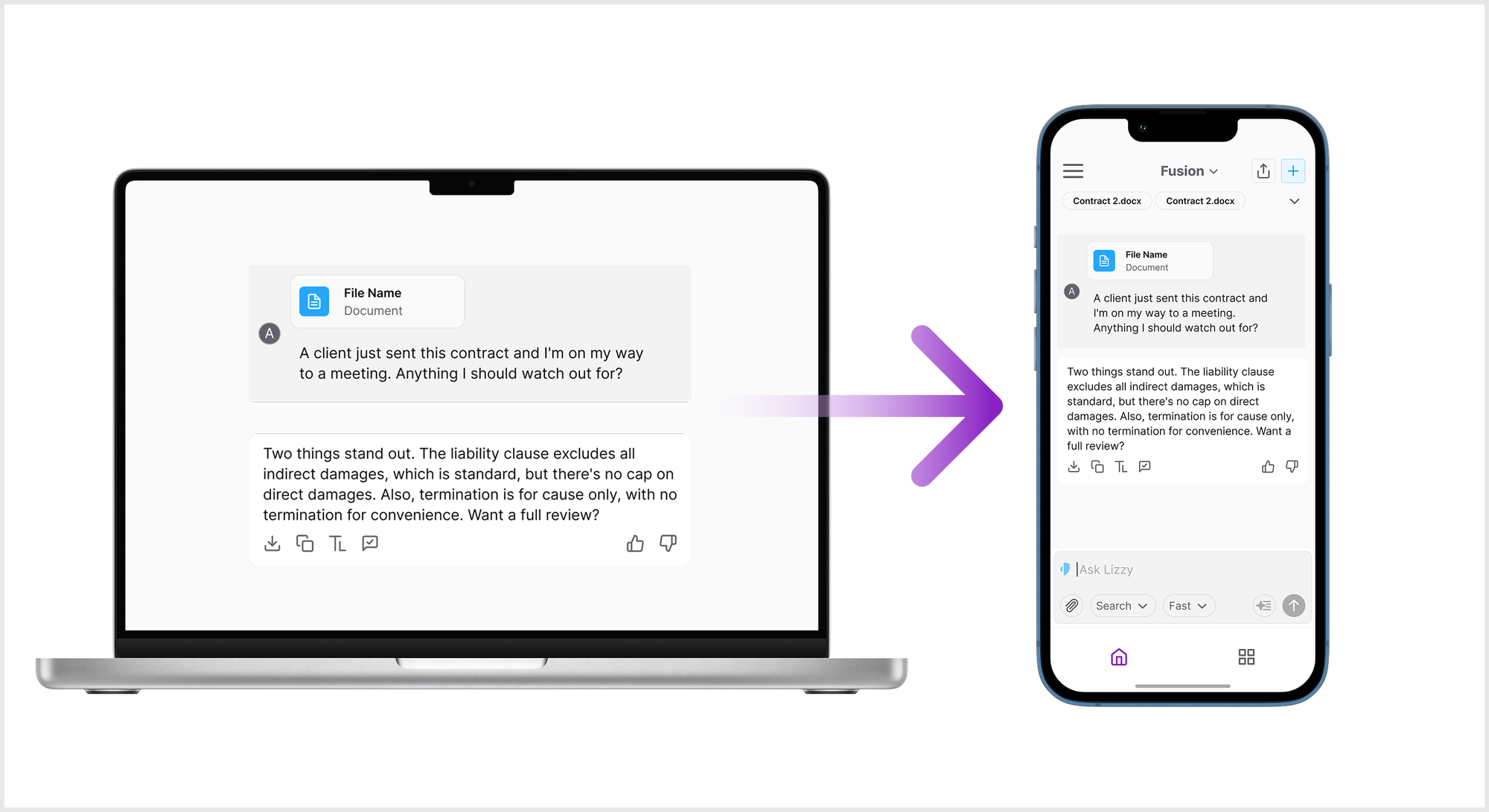
Quick answers when you're away from your desk
Some questions can't wait until you're back at your computer. Lizzy on mobile makes it easy to ask a confidential or time-sensitive legal question in the moment - between meetings, in the hallway, or on the move - and get a useful answer without firing up a laptop. The convenience is mobile; the substance is the same Lizzy.
A tenant-specific install, by design
Working from a phone shouldn't mean loosening your firm's standards. Because each firm installs its own tenant-specific app rather than a shared one, the mobile experience stays aligned with your environment - and Lizzy's core commitments don't change on mobile: your data is never used to train a model, and the security and deployment controls your IT team set still apply. Mobile changes where you can work, not how your data is handled.
This is the start of something bigger
Today, mobile is about access and quick answers on the go. Next, it gets more powerful: an upcoming integration with a legal database will bring real legal research to mobile - so looking something up from your phone becomes as serious as the work you do at your desk, not just a convenience.
The takeaway
Legal questions don't keep desk hours. Lizzy on mobile puts your office chats and quick, confidential answers in your pocket - installed securely from your own firm's address - so the work moves with you instead of waiting for you to get back to your desk.